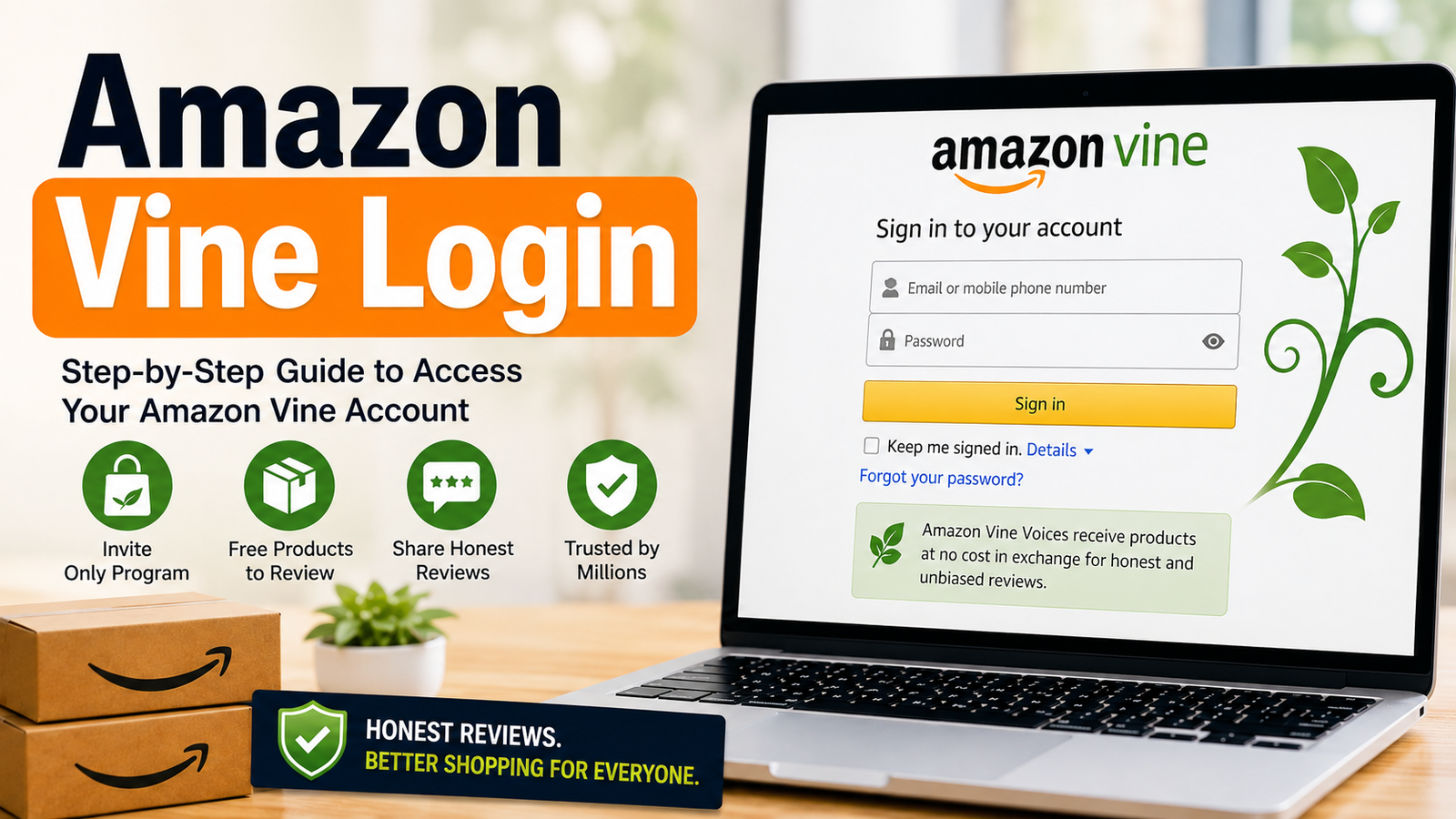
If you are searching for amazon vine login, you may be wondering where the Vine page is, how to sign in, or why you cannot see the Vine dashboard. The good news is that Amazon Vine does not use a separate username and password. Invited Vine Voices use their normal Amazon account to access the program.
Amazon Vine is an invitation-only product review program. Selected customers, called Vine Voices, can choose products from the Vine program and provide honest feedback about them. The program is designed to help shoppers learn more about products while giving sellers a way to collect early customer feedback.
However, simply having an Amazon account does not give you Vine access. You need an official invitation from Amazon. This is one of the most important points to understand before trying different login links or creating another account.
In this guide, we will explain how the Vine login process works, who can access the program, what you can see inside the dashboard, how the membership levels work, what sellers should know, and what to do when the Vine page does not open.
What Is Amazon Vine and Who Can Use It?
Amazon Vine is a product review program that Amazon launched in 2007. It connects selected reviewers with products offered by participating sellers. The reviewers, known as Vine Voices, can receive eligible products at no product purchase cost and are expected to provide honest feedback based on their experience.
The important point is that Vine is not an open membership program. Anyone cannot simply visit a registration page, create a Vine account, and start selecting products. Amazon chooses reviewers through its own selection process. Competitor articles consistently describe factors such as review activity, helpful feedback, purchase history, balanced ratings, and long-term activity as possible signals used by Amazon.
For example, imagine two Amazon customers. Customer A has written many short reviews such as “good product” or “works fine.” Customer B writes fewer but more useful reviews that explain how a product performed, what worked well, and what could be improved. The second type of review may provide more value to shoppers. Still, there is no public formula that guarantees an invitation.
Once a customer is invited, the normal Amazon account becomes the key to the Vine program. There is no need to create a special Vine email address or separate password. The Vine dashboard then becomes available to the invited account. This also explains why a person may search for the login page, enter correct Amazon credentials, and still fail to see Vine. Correct credentials alone do not create eligibility.
The program also has rules for participation. Vine Voices are expected to submit honest reviews and keep up with their review responsibilities. Missing too many reviews may affect access or request limits. Therefore, Vine should not be treated simply as a place to get free products. It is a review program where participation comes with responsibilities.
Another important difference is between reviewers and sellers. Reviewers use Vine to discover and review eligible products, while sellers use Amazon’s seller tools to enroll eligible products in Vine. These are two different sides of the same program. Understanding which side you belong to can save a lot of confusion when looking for the correct dashboard.
How the Amazon Vine Login Process Works
The amazon vine login process is simpler than many people expect because it uses the credentials of your normal Amazon account. You do not normally need a separate Vine account. If Amazon has invited your account, signing in with that account should allow you to reach the Vine area.
Start by signing in to the Amazon account connected to your Vine invitation. This detail matters because using another Amazon account can make it look as if Vine access is missing. If you have several Amazon accounts or email addresses, check the account that received the invitation before trying anything else.
After signing in, open the Vine portal through the official access route available to your account. First-time users may need to review and accept program terms. These terms can include expectations about reviews and information related to taxes. Once access is confirmed, the Vine dashboard can show products, review tasks, order information, and other program details.
A simple example can help. Suppose you receive a Vine invitation at one email address but later sign into Amazon with a different address. Your password may be completely correct, but the Vine dashboard may not appear. In this case, changing the password will not solve the real problem. The issue is the account being used.
Another common situation happens when someone searches for a Vine login page without having an invitation. They may find a page or link but receive an error, a redirect, or no Vine dashboard. This does not automatically mean that Amazon’s website is broken. It may simply mean the account is not currently eligible for Vine access.
Security is also important. Use your normal Amazon security steps, including two-step verification if it is enabled. Never give your Amazon password or verification code to another person claiming they can “activate” Vine access. An invitation cannot safely be replaced by a third-party login service.
If the page behaves strangely, try basic browser fixes. Open the page in a private or incognito window, clear the browser cache, or try another supported browser. Desktop access may also be easier than mobile when reading program terms or managing reviews.
Most importantly, do not create multiple Amazon accounts just to try to obtain Vine access. The program is invitation-based, and making extra accounts does not guarantee an invitation.
How to Get Amazon Vine Access Without Falling for Fake Offers
One of the biggest questions around Vine is not actually how to type your password. It is how people become Vine Voices in the first place. This is also where many users can become confused by websites or social posts promising instant Vine membership.
Amazon Vine is invitation-only according to the competitor material reviewed for this article. There is no normal public application form where a customer can pay a fee and guarantee entry. Amazon decides which customers are invited. This means websites promising “instant Vine approval” should be treated with caution.
Amazon may consider signals connected to customer activity and review quality. Competitor sources mention detailed reviews, consistent activity, helpful votes, balanced ratings, purchase history, and long-term engagement. However, these are not a guaranteed checklist. Amazon does not publicly promise that completing a certain number of reviews will result in an invitation.
Think about Vine as an invitation rather than a job application. You can improve the quality of your contribution to Amazon by writing useful reviews, but you cannot submit a form and demand access. Even a customer with many reviews may never receive an invitation.
A helpful review should explain the real experience. For example, instead of writing “This keyboard is good,” a more useful review might explain how the keys feel, whether the layout is comfortable, how the product performed after regular use, and whether the item matched its description. The goal is to help another shopper make a better decision.
However, you should not change your review simply because you want to qualify for Vine. Reviews should remain honest. Do not give fake five-star ratings, copy other people’s reviews, or write misleading content. Such behavior can damage the quality of your account and does not create a trustworthy path into the program.
If you receive an invitation, check that it is connected to your actual Amazon account and use official Amazon pages rather than random links sent by strangers. Never send your password, one-time security code, or account recovery information to someone offering Vine access.
There is also no reason to pay a person for an “Amazon Vine login.” The login itself is connected to your Amazon account. Paying someone for a special password, secret link, or guaranteed invitation is not part of the normal Vine process described by the competitor sources.
This is an important improvement over many basic guides because login problems are sometimes caused by false expectations. Before troubleshooting a password, first ask a simpler question: Was this Amazon account actually invited to Vine?
Amazon Vine Membership Levels and Review Requirements
Amazon introduced membership levels for Vine Voices, with Silver and Gold commonly described as the two main tiers. These levels affect the number and value of products a member can request. The exact program rules can change, so members should always check the current information shown inside their own Vine account.
The Silver level is the starting tier described in the competitor material. Silver members can request up to three eligible products per day, with items generally subject to the stated value limit. Gold provides a higher daily request limit and access to products without the same item-value restriction described for Silver.
Gold eligibility has been associated with completing at least 80 reviews and maintaining a 90% review completion rate during the relevant evaluation period. This does not mean that every Amazon customer who writes 80 reviews automatically becomes Gold. The member must already be participating in Vine and meet the program’s current requirements.
The Review Insightfulness Score is another important change discussed by the competitors. Amazon introduced a scoring system with categories including Poor, Fair, Good, and Excellent. The score is intended to reflect how useful reviews are and can play a role in membership evaluation.
This creates an important lesson for Vine members: quantity is not the only thing that matters. A person who rushes through reviews may complete many reviews but still produce less helpful content. A better approach is to focus on clear, honest, experience-based feedback.
For example, imagine a Vine Voice receives a set of storage boxes. A weak review might say, “Nice boxes. I like them.” A stronger review could explain the size, material, lid fit, storage use, durability after several weeks, and whether the measurements match the listing. The second review gives future shoppers useful information.
Review deadlines also matter. Vine members are expected to review products they claim. Missing reviews can affect request limits or participation. The competitor articles repeatedly mention a 60% completion requirement and a higher 90% completion figure associated with Gold eligibility.
Because Amazon can change program rules, members should not rely on an old blog post as their only source. If your dashboard shows a different requirement, follow the current information displayed by Amazon. This is especially important for tier rules, evaluation periods, taxes, and product eligibility.
The safest strategy is simple: check your Vine dashboard regularly, understand your current tier, keep track of products you have received, and complete reviews on time.
What You Can Do Inside the Vine Dashboard
After a successful amazon vine login, the dashboard becomes the main place for managing your Vine activity. Instead of thinking of it as a normal shopping page, think of it as a task center. It brings together available products, products you have requested, shipments, review deadlines, and submitted reviews.
One important area is the product section, often described as “Available for You.” This area shows products that are available for eligible Vine members to request. The products shown to one member may not be exactly the same as those shown to another member. Availability can change as products are added, requested, or removed.
Another area is “Your Vine Items.” This section helps members keep track of products they have selected. Depending on the current dashboard design, it can include order or shipment information and review deadlines. Checking this area regularly is useful because it helps prevent a product from being forgotten after delivery.
The Reviews section is where review work happens. Members can create, edit, and submit their feedback according to the available Vine process. This makes the dashboard more than a product discovery tool. It is also a way to manage your responsibilities as a Vine Voice.
Imagine receiving five products during a busy week. You open each package, use the products, and plan to review them later. Without a simple tracking habit, it is easy to forget one item. A weekly dashboard check can help you see which products still need attention.
Desktop access can be useful for this reason. Some competitor articles note that mobile layouts may not always be as convenient for reading terms or drafting reviews. If the page looks broken on your phone, try a desktop browser before assuming your account is blocked.
Members should also protect their Amazon accounts. Use a strong password, keep two-step verification enabled where available, and avoid entering account details on pages that are not clearly part of Amazon. A password manager can also help if you regularly use more than one Amazon service.
Most importantly, do not treat the dashboard as a place where you must accept every product. Selecting fewer products that you can properly review may be better than requesting many items and later struggling with deadlines.
A good Vine routine is simple: check available products, request only what interests you, watch deliveries, use products fairly, write honest reviews, and check your pending tasks regularly. This turns the dashboard into a manageable routine rather than another source of online clutter.
Amazon Vine for Sellers: Enrollment, Fees, and Product Rules
Amazon Vine is not only for reviewers. Sellers can also use the program to introduce eligible products to Vine Voices and collect early customer feedback. However, seller access is different from reviewer access, and this difference is important when searching for the right portal.
The competitor articles describe several seller requirements. Sellers generally need a Professional Selling Account and Brand Registry enrollment. Eligible products are described as new items that use Fulfillment by Amazon, have appropriate product information, and have fewer than 30 existing reviews. Certain restricted categories, including adult and hazardous products, are excluded.
Seller enrollment is based on the parent ASIN and the number of units submitted. The competitor material describes three common fee levels: $0 for 1–2 units, $75 for 3–10 units, and $200 for 11–30 units per parent ASIN. The maximum number of potential Vine reviews increases with the enrollment amount.
| Units Enrolled | Fee Per Parent ASIN | Maximum Reviews |
|---|---|---|
| 1–2 | $0 | 2 |
| 3–10 | $75 | 10 |
| 11–30 | $200 | 30 |
The competitors also describe a billing condition connected to the first published Vine review. According to their material, the fee is charged seven days after the first review is published. They also state that if no review appears within roughly three months, the seller is not charged.
These details are useful, but sellers should always verify the current fee schedule and eligibility requirements inside Seller Central before enrolling a product. Amazon can change fees, credits, enrollment limits, and product rules over time. A blog article should not replace the current terms provided by Amazon.
For example, a seller preparing to launch a new product might want to enroll 10 units to collect early feedback. Before doing so, the seller should check the current ASIN eligibility, available enrollment quantity, product condition, Brand Registry status, and current fee shown by Amazon.
Sellers should also understand that Vine reviews are not advertising copy controlled by the seller. The purpose of the program is to collect independent feedback. A seller should not expect every review to be positive.
This is actually part of the value of the system. Shoppers can see different experiences and learn what works well and what does not. Sellers can use that feedback to improve product pages, packaging, instructions, product quality, or customer expectations.
One competitor also notes that sellers can enroll up to 200 ASINs at a time under the described program rules. Because limits and policies may change, sellers managing a large catalog should confirm the current limit before planning a campaign.
The main takeaway is that seller Vine access should be handled through the appropriate Amazon seller tools, not through a random Vine login page. Reviewers and sellers have different roles, different dashboards, and different requirements.
Fixing Amazon Vine Login Problems and Common Access Errors
When the Vine page does not appear
First, make sure you are signed into the exact Amazon account connected to your Vine invitation. If you use another account, the Vine dashboard may not appear even when your password works correctly.
If you are certain that you are using the correct account, try signing out and signing back in. You can also open a private or incognito browser window. This can help when old cookies or saved sessions interfere with account access.
When your password is rejected
Use Amazon’s normal password recovery process instead of using a third-party “Vine password reset” service. Check that your email address is spelled correctly and that your browser has not filled an old password automatically.
If you use multiple Amazon accounts, verify which email address belongs to the invited account. Changing the password on the wrong account will not restore Vine access.
When two-step verification gets stuck
If Amazon asks for a verification code and the code does not work, request a new code and use the most recent one. Check the phone number or authentication method connected to your Amazon account.
Avoid giving your one-time verification code to anyone who claims they can unlock Vine for you. A legitimate support process should not require you to hand your security code to another person.
When the dashboard is missing
A missing dashboard does not always mean there is a technical error. If the account has not received a Vine invitation, there may simply be no Vine dashboard available.
This is one of the most important troubleshooting checks. Before changing browsers, clearing cookies, or resetting passwords, confirm that the account is actually eligible for Vine.
When the page looks broken
Try a desktop browser if the Vine portal does not display correctly on your phone. Also try clearing browser cache and cookies, opening an incognito window, or using another supported browser.
If other Amazon pages work but Vine does not, account eligibility may be more important than the browser itself.
A simple troubleshooting checklist
- Confirm that you received an official Vine invitation.
- Sign in with the exact invited Amazon account.
- Check your email address carefully.
- Reset your Amazon password only through Amazon’s normal recovery process.
- Try a private or incognito browser window.
- Clear old browser cache and cookies.
- Try a desktop browser if mobile is not displaying correctly.
- Complete two-step verification with the newest code.
- Do not share your password or security code.
- Check Amazon’s current information if the program rules have changed.
The biggest mistake is changing several things at once. If you reset your password, create another account, switch browsers, and use a different email address at the same time, it becomes difficult to know what actually fixed the problem.
Instead, test one thing at a time. Start with account eligibility, then confirm the invited email, then check the password, and finally troubleshoot the browser. This simple order can save time.
Amazon Vine Taxes, Responsibilities, and Smart Tips
Understanding the tax side
Taxes are one of the areas where Vine users should be especially careful. The competitor articles explain that Vine products can have tax consequences, particularly for users in the United States. One commonly cited threshold is $600 in annual product value for receiving a 1099-NEC, but tax rules can depend on current regulations and individual circumstances.
The reported taxable value may be based on the product’s listed value at the time of enrollment rather than what the product could later sell for. This means a product that feels like a “free item” may still have tax considerations.
Do not assume that receiving a product for no purchase price means there can never be a tax obligation. If you are concerned about your situation, review the tax information in your Vine account and speak with a qualified tax professional who understands your local rules.
Keep track of products
A simple spreadsheet or note can make Vine management easier. Record the product name, date received, review deadline, and review status. This is especially useful when you have several items at the same time.
For example, if you receive eight products over two weeks, relying only on memory can be risky. A small tracking list can show exactly which products still need a review.
Write honest reviews
The best Vine review is useful, not simply positive. Explain what you actually experienced. Mention important strengths and weaknesses, and avoid claims you cannot support.
A good review can answer questions a shopper may have before buying. Is the size accurate? Is the material strong? Is setup easy? Does the product work as described? Does it have an issue that buyers should know about?
Do not chase products you cannot review
Vine can make it tempting to request many products because they appear attractive or useful. But every claimed item can create another review responsibility.
A smart member thinks about time before requesting. If you know you will not have time to test and review an item properly, skipping it may be better than creating a future deadline problem.
Protect your Amazon account
Use normal Amazon security practices. Keep two-step verification active if available, use a unique password, and be careful with links sent through social media or private messages.
Remember that scammers may use words such as “Vine invitation,” “Vine activation,” or “Vine login” to make a fake page look convincing. Never enter your Amazon credentials on an unfamiliar page simply because it contains the word Vine.
Check the latest rules
Amazon Vine has changed over time. Membership tiers, review requirements, seller fees, eligibility rules, and tax information may not stay the same forever.
For this reason, use this article to understand the process, but check your current Amazon account and official program information before making important decisions.
The best Vine experience comes from treating the program seriously. Use the correct account, keep your reviews honest, track your responsibilities, protect your login details, and check current rules before accepting high-value products or enrolling products as a seller.
Frequently Asked Questions About Amazon Vine Login
Q: Do I need a separate Vine account?
A: No. The Vine program uses the Amazon account connected to your invitation. You normally do not create a separate Vine username and password.
Q: Can anyone sign up for Amazon Vine?
A: No. Vine is invitation-only. Amazon selects customers through its own process, and there is no public application that guarantees access.
Q: Why can I sign in to Amazon but not see Vine?
A: Your Amazon login can work normally while Vine remains unavailable. First check whether the account actually received a Vine invitation. Also make sure you are using the exact invited account.
Q: Is Amazon Vine free for reviewers?
A: Vine products are provided at no product purchase cost to participating reviewers, but receiving products can have tax implications depending on your location and circumstances.
Q: Can Vine Voices sell the products they receive?
A: The competitor sources state that Vine members cannot resell claimed Vine products. Always check the current Vine terms for the latest restrictions.
Q: What should I do if my Vine login stops working?
A: Confirm the invited Amazon account first. Then check your password, complete two-step verification, try an incognito window, clear browser data, and use a desktop browser if needed. If the account is not invited, technical fixes will not create Vine access.
Conclusion
The amazon vine login is not a separate account system. Invited Vine Voices use their normal Amazon credentials to reach the Vine program, while people without an invitation may not see the Vine dashboard at all. Knowing this simple fact can prevent many unnecessary password resets and searches for special login pages. Vine members should also keep track of products, review deadlines, membership requirements, and current program rules.
The safest approach is to use the correct Amazon account, protect your login details, write honest and useful reviews, and check current information before making important decisions. Whether you are a reviewer trying to understand your dashboard or a seller learning about Vine enrollment, the goal is the same: use the program carefully, understand your responsibilities, and rely on current Amazon rules when details change.